Skip to content

Instantly share code, notes, and snippets.

View isti03's full-sized avatar

Elges István isti03

  • Hungary
View GitHub Profile
@seanh
seanh / vimgrep.md
Last active October 2, 2026 19:33
vimgrep cheatsheet

vimgrep

  • Vimcasts on vimgrep

  • Uses native vim regexes (which are slightly different from the regexes used by grep, ack, ag, etc) so the patterns are the same as with vim's within-file search patterns.

You can do a normal within-file search first, then re-use the same pattern to

@sundowndev
sundowndev / GoogleDorking.md
Last active October 8, 2026 10:51
Google dork cheatsheet

Google dork cheatsheet

Search filters

Filter Description Example
allintext Searches for occurrences of all the keywords given. allintext:"keyword"
intext Searches for the occurrences of keywords all at once or one at a time. intext:"keyword"
inurl Searches for a URL matching one of the keywords. inurl:"keyword"
allinurl Searches for a URL matching all the keywords in the query. allinurl:"keyword"
intitle Searches for occurrences of keywords in title all or one. intitle:"keyword"
@Painezor
Painezor / Checks.py
Last active April 20, 2025 16:07
Built-in Checks for the commands extension of discord py
@commands.guild_only()
# Command cannot be used in private messages.
@commands.dm_only()
# Command can only be used in private messages.
@commands.is_owner()
# Command can only be used by the bot owner.
@commands.is_nsfw()
@boringrgb
boringrgb / browser_history.md
Last active March 5, 2026 11:39
Playing around with Chrome's history

Browser histories

Unless you are using Safari on OSX, most browsers will have some kind of free plugin that you can use to export the browser's history. So that's probably the easiest way. The harder way, which seems to be what Safari wants is a bit more hacky but it will also work for other browsers. Turns out that most of them, including Safari, have their history saved in some kind of sqlite database file somewhere in your home directory.

The OSX Finder cheats a little bit and doesn't show us all the files that actually exist on our drive. It tries to protect us from ourselves by hiding some system and application-specific files. You can work around this by either using the terminal (my preferred method) or by using the Cmd+Shft+G in Finder.
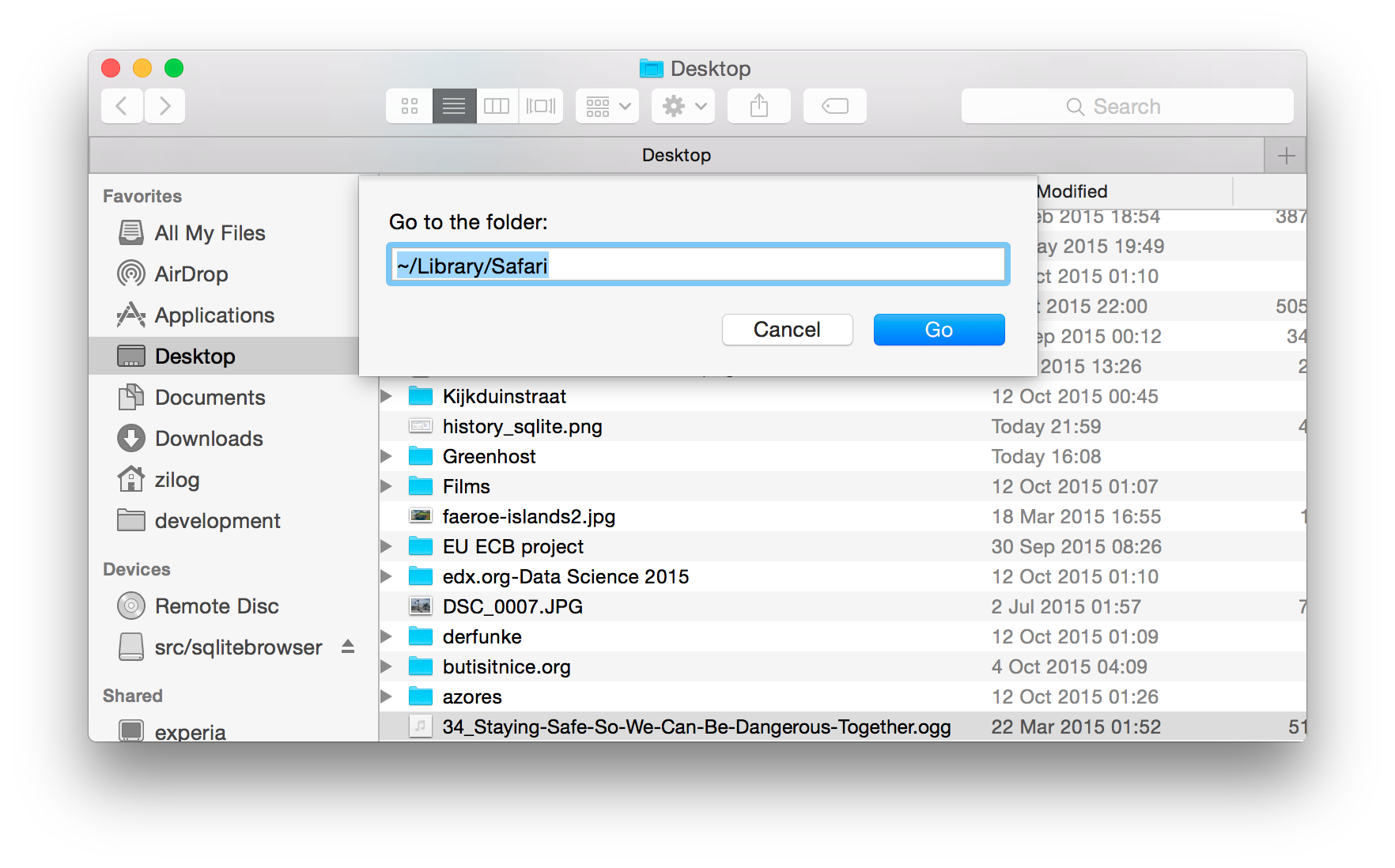
Finder

Once you locate the file containing the browser's history, copy it to make a backup just in case we screw up.