Skip to content

Instantly share code, notes, and snippets.

@jlblancoc
Created June 24, 2026 07:16
Show Gist options
  • Select an option

  • Save jlblancoc/1e16276fd95b9ba17636431f3648cd9b to your computer and use it in GitHub Desktop.

Select an option

Save jlblancoc/1e16276fd95b9ba17636431f3648cd9b to your computer and use it in GitHub Desktop.
Run GreenBot dataset with MOLA-LIO

Running MOLA Lidar Inertial Odometry (MOLA-LIO)

You can use MOLA-LIO to build global 3D LiDAR point clouds from this dataset sequences and/or to reconstruct the trajectories. Follow the install instructions. Make sure of installing the mola-input-rosbag1 package to easily parse ROS 1 bags from this dataset, even from within a modern ROS 2 system (via apt install, or if it's not yet available for your distributions, from sources).

Then, save the attached helper script as run-mola-lio-ouster-greenbot.sh and make it executable (chmod a+x run-mola-lio-ouster-greenbot.sh):

And invoke for each of the desired sequences:
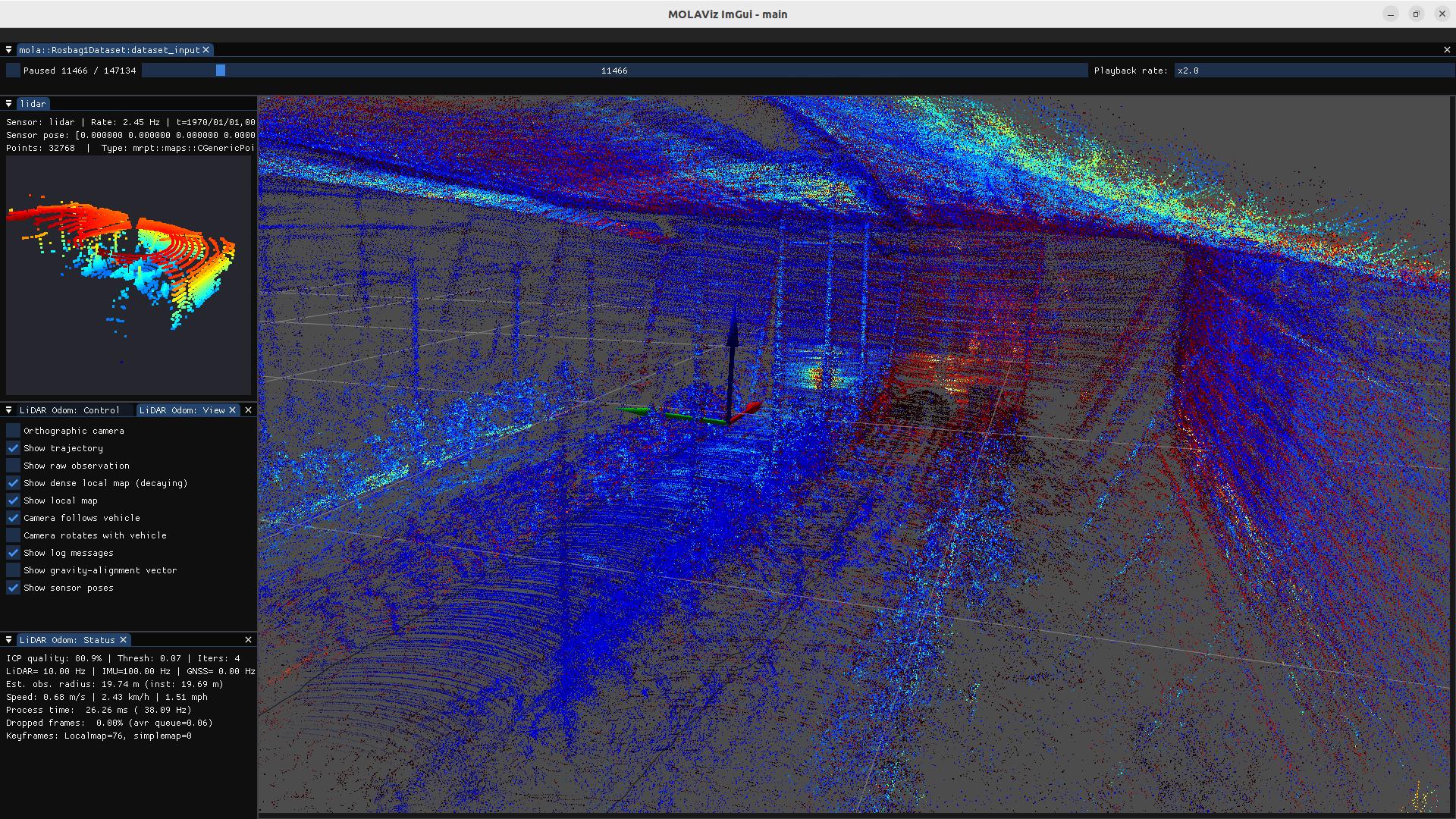
https://mrpt.github.io/imgs/mola-lio-slam-on-greenbot-dataset.jpg

#!/bin/bash
if [ "$#" -ne 1 ]; then
echo "Usage: $0 <SEQUENCE_ID>"
echo ""
echo "Example: $0 2022-10-14"
exit 1
fi
set -x
set -e
SEQ=$1
# If you want to build a .simplemap for later postprocessing, add:
# MOLA_GENERATE_SIMPLEMAP=true \
# MOLA_SIMPLEMAP_OUTPUT=$SEQ.simplemap
MOLA_GUI_MODULE=mola::MolaVizImGui \
MOLA_DESKEW_METHOD=MotionCompensationMethod::IMU \
MOLA_TF_BASE_LINK=os_sensor \
MOLA_LIDAR_TOPIC=/ouster/points \
MOLA_IMU_TOPIC=/ouster/imu \
MOLA_SAVE_TRAJECTORY=true \
MOLA_TUM_TRAJECTORY_OUTPUT=./$SEQ.tum \
mola-lo-gui-rosbag1 \
"./$SEQ.bag"
Sign up for free to join this conversation on GitHub. Already have an account? Sign in to comment