Skip to content

Instantly share code, notes, and snippets.

View lionc2240's full-sized avatar
🏠
Working from home

lionc2240

🏠
Working from home
View GitHub Profile
@lionc2240
lionc2240 / output-script-color.md
Last active June 11, 2026 10:09
Tô màu output Script Shell

Tô màu output Script Shell

Khi bạn muốn tạo màu sắc cho các dòng văn bản hoặc từng chữ trong output (kết quả đầu ra) của một Script Shell khi chạy trên Terminal, cách tốt nhất và chuẩn nhất là sử dụng Mã màu ANSI (ANSI Escape Codes).

Dưới đây là cách thiết lập chi tiết từ cơ bản đến nâng cao để bạn áp dụng trực tiếp vào script của mình.

1. Cách hoạt động của mã màu ANSI

@lionc2240
lionc2240 / shell-colors.md
Last active June 11, 2026 09:36
shell colors

Đây là $\color{red}\text{chữ MÀU ĐỎ}$ và đây là $\color{green}\text{chữ MÀU XANH LÁ}$ trong output của script shell.

Cú pháp trong file script.sh:

#!/bin/bash

# Định nghĩa mã màu
RED='\033[0;31m'
GREEN='\033[0;32m'
NC='\033[0m' # No Color (Reset lại màu mặc định)
@lionc2240
lionc2240 / gist-colors.md
Last active June 11, 2026 09:57
gist colors

Đây là $\color{red}\text{chữ MÀU ĐỎ}$ và đây là $\color{green}\text{chữ MÀU XANH LÁ}$ trong Markdown.


Cú pháp:

$\color{}\text{}$  

Ví dụ:

Đây là $\color{red}\text{chữ MÀU ĐỎ}$ và đây là $\color{green}\text{chữ MÀU XANH LÁ}$.
@lionc2240
lionc2240 / ubuntu20.04-termux.md
Last active June 4, 2026 11:40
Cài Ubuntu 20.04 ARM64 trên Termux bằng Proot

Dưới đây là phiên bản đã chỉnh sửa theo thực tế từ log: đưa bước cấu hình DNS lên ngay sau khi vào Ubuntu lần đầu, thêm xử lý thông báo đăng nhập và sửa script khởi động để tự thiết lập DNS.

root@localhost:~# cat /etc/os-release
NAME="Ubuntu"
VERSION="20.04.6 LTS (Focal Fossa)"
ID=ubuntu
ID_LIKE=debian
PRETTY_NAME="Ubuntu 20.04.6 LTS"
VERSION_ID="20.04"
HOME_URL="https://www.ubuntu.com/"

POWERSHELL connect TERMUX 5555

(Tailscale or Local IP, no Shizuku, just Internet, Wireless Debugging port)

Gist structure

<command>
@lionc2240
lionc2240 / adb-termux-docs.md
Last active June 3, 2026 18:08
adb Termux docs

adb termux - command docs

~$ adb # or adb help

Result:

Android Debug Bridge version 1.0.41
Version 35.0.2-android-tools
Installed as /data/data/com.termux/files/usr/bin/adb
Running on Linux 4.14.113-25257816 (aarch64)
@lionc2240
lionc2240 / Running Antigravity CLI on Termux.md
Created May 31, 2026 17:01 — forked from Brajesh2022/Running Antigravity CLI on Termux.md
Antigravity CLI on Termux: Auto-Installer and Manual Patching Guide

🚀 Recommended Installation (Auto-Installer)

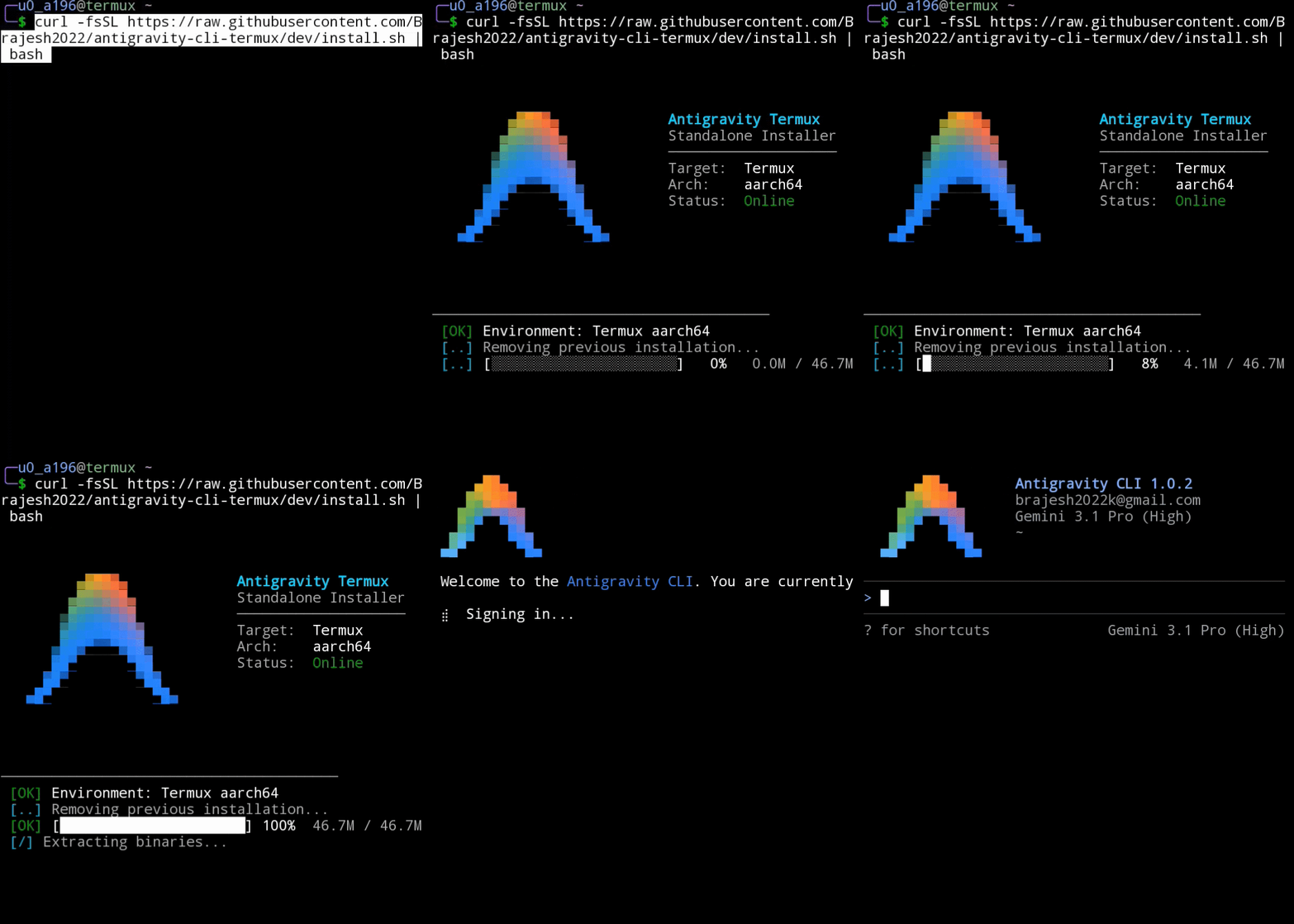
Antigravity CLI Demo The easiest and community-recommended way to install Antigravity CLI on Termux is using the standalone auto-installer.

curl -fsSL https://raw.githubusercontent.com/wallentx/antigravity-cli-termux/dev/install.sh | bash

How it works: This script instantly installs the latest release directly from the wallentx/antigravity-cli-termux repository. A huge thanks to the original repository owner, @wallentx, for packaging these releases! The repository automatically runs a GitHub Action every six hours that fetches the official binary and patches it using the exact methods outlined in this guide below.

@lionc2240
lionc2240 / Access code-server via SSH Tunneling (Phone to Laptop).md
Last active April 28, 2026 07:45
Access code-server via SSH Tunneling (Phone to Laptop)

Gist: Access code-server via SSH Tunneling (Phone to Laptop)

Mô tả: Cách truy cập an toàn giao diện VS Code chạy trên Android (Termux/Ubuntu) từ trình duyệt máy tính.

Bước 1: Khởi chạy code-server trên điện thoại

Trong môi trường Ubuntu PRoot, chạy lệnh sau để server chỉ lắng nghe kết nối nội bộ (an toàn nhất):

code-server # --bind-addr 127.0.0.1:8080

Lưu ý: Bạn cần cài code-sever trước đó cho môi trường hiện tại bạn đang dùng (ví dụ của mình là Ubuntu PRoot-distro).

@lionc2240
lionc2240 / Setup Assembly x86_64 Environment on Ubuntu (PRoot-Distro).md
Last active April 28, 2026 06:59
Setup Assembly x86_64 Environment on Ubuntu (PRoot-Distro)

Gist: Setup Assembly x86_64 Environment on Ubuntu (PRoot-Distro)

Description: Hướng dẫn thiết lập môi trường lập trình Assembly x86_64 trên nền tảng ARM64 (Android/Termux) sử dụng giả lập QEMU. Lộ trình từ môi trường Termux trống đến khi chạy được Assembly x86_64.

THIẾT LẬP PROOT DISTRO (Thực hiện trên Termux gốc)

# 1. Cập nhật Termux
pkg update && pkg upgrade -y

# 2. Cài đặt gói proot-distro
@lionc2240
lionc2240 / gemini_instructions.txt
Last active April 28, 2026 07:05
AI Personalization
Be talkative and conversational.
You mustn't use exclamatory sentence
in the first words of the response. You
can directly respond.
You mustn't extra questions in the end
of your response. You must provide the
information, not extra questions.
You mustn't talk about my needs to
continue the conversation in the end of
your response. Only I will decide how